SimplyCount vs On-Screen Takeoff: A Faster Way to Count Symbols — On-Prem or Cloud
If you're weighing SimplyCount against On-Screen Takeoff (on-screen manual takeoff software), here's what SimplyCount does differently: it finds and marks every symbol automatically, on-prem or in the cloud, and you review every detection before it lands in a bid.
When estimators compare SimplyCount to on-screen takeoff, the difference is where the counting — and the trust in the count — lives. SimplyCount finds and marks every symbol automatically, then puts a person in the loop: you review every detection and unverified counts show as a floor (≥), never dressed up as a total. You choose the deployment: run it entirely on-prem so your drawings and IP never upload to anyone's cloud, or use SimplyCount's own hosted cloud — most tools force one or the other. And it learns your custom symbols so the next job is faster than the last.
On-screen manual takeoff software still leaves the counting — or the trust in the count — on you.
Cloud-only tools force your drawings onto their servers — with no on-prem option if IT says no.
An AI number you can't inspect is one you can't defend in a bid.
What you get
- Automatic symbol detection across the whole plan set — not manual clicking.
- You review and sign off on every detection; unverified counts show as a floor (≥).
- Deploy it your way: run SimplyCount fully on-prem — encrypted local database inside your firewall, air-gap-capable, nothing uploaded — or as a hosted cloud solution with nothing to install. Two supported modes; you pick the one your shop needs.
- Self-learning: teach a symbol once and count it on every future job.
- Exports to Excel, CSV and PDF. SimplyCount's benchmark is 60 unique symbols across 168 pages in about an hour — roughly 168× faster than counting by hand.
Drag the line. See every symbol get found.
A real electrical panel sheet — slide to reveal what SimplyCount marks.
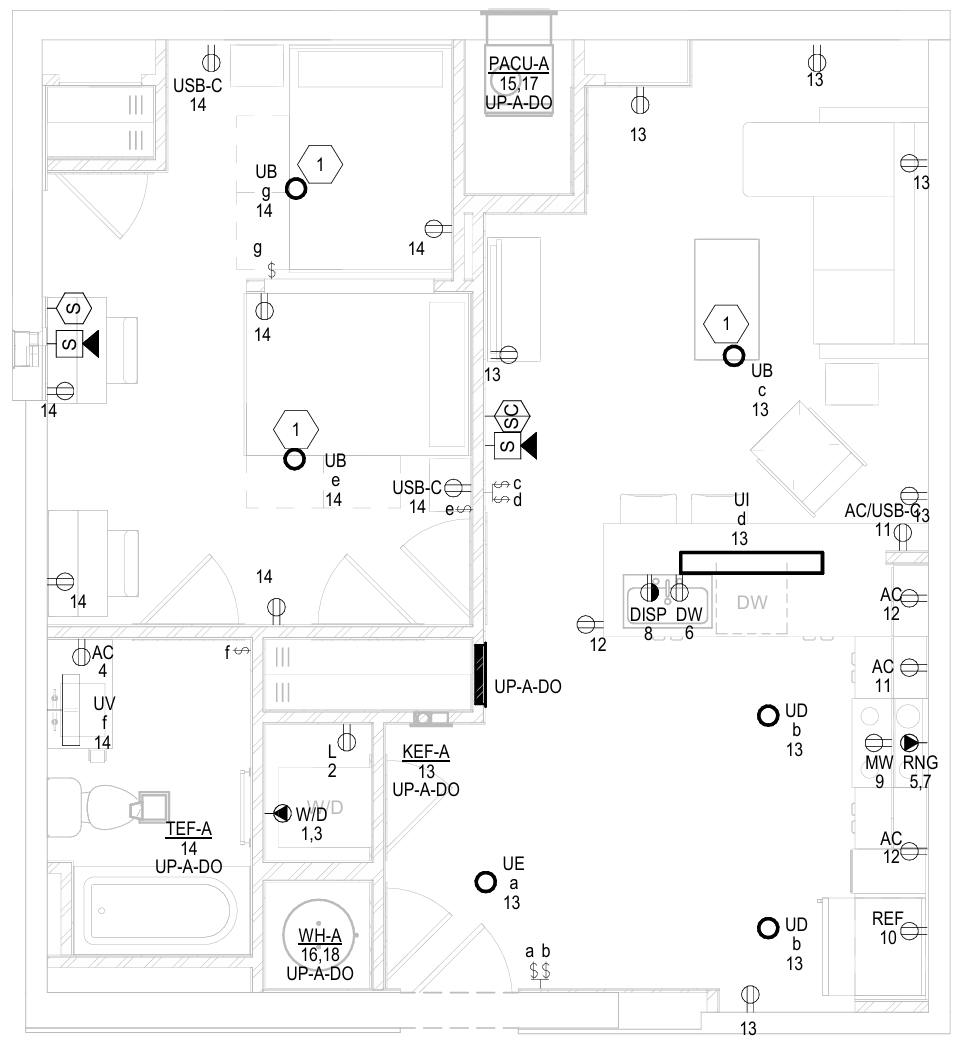
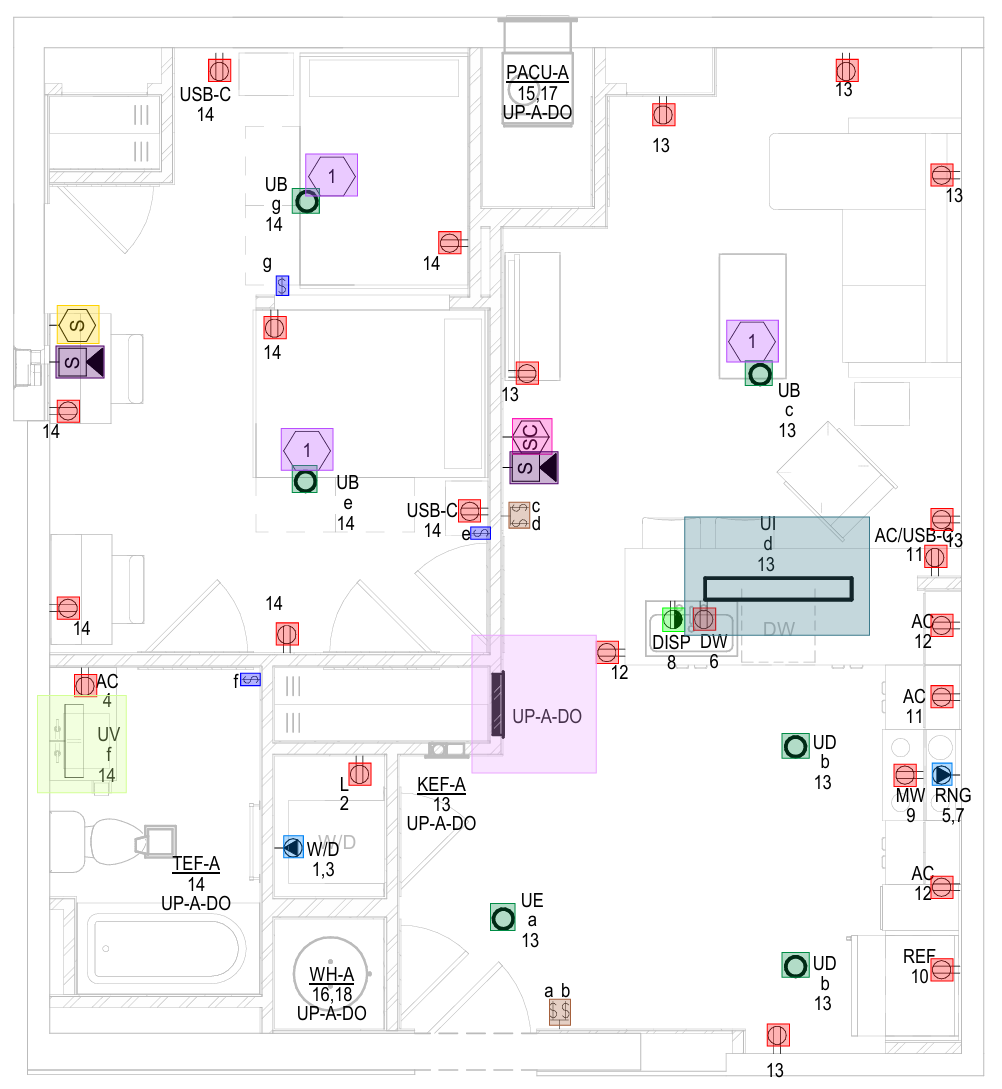 Your planCounted
Every symbol on this sheet — found & marked
Your planCounted
Every symbol on this sheet — found & markedCommon questions
Can SimplyCount count on-screen takeoff automatically?
Can we keep everything inside our network?
How fast is it, really?
Can it learn our custom or non-standard symbols?
Never manually count another symbol
Start free — run your first plan and see a number you can defend. 168 pages · 60 symbols · ~1 hour.
No credit card · On-prem or cloud — your choice