How to Count Sprinkler Heads on a Blueprint — Fast & Defensibly
Counting sprinkler heads by hand is slow and error-prone. Head counts drive the whole fire-protection bid and span every ceiling sheet. SimplyCount finds and marks every one on your plan set automatically, and you sign off on the total.
To count sprinkler heads on a blueprint with SimplyCount, you import the plan set as a PDF and point at the sprinkler heads symbol from your own legend. The engine sweeps every sheet and marks each instance, and a live count updates as you review. Miss one? Add it. See a wrong detection? Reject it — the total updates and the number you export is the one you signed off on. In on-prem mode everything runs locally — even a scanned page or a phone photo of a drawing gets counted without your plans ever touching a cloud service — or run the hosted cloud mode if you'd rather nothing to install.
Head counts drive the whole fire-protection bid and span every ceiling sheet.
A miscount of sprinkler heads flows straight into a wrong bid.
Doing it by hand on every revision burns evenings.
What you get
- Point at the sprinkler heads symbol from your own legend — the engine finds every instance on every sheet.
- Review the marked-up detections and reject or add any you need; the total updates.
- Export the count to Excel, CSV or PDF.
- Deploy it your way: run SimplyCount fully on-prem — encrypted local database inside your firewall, air-gap-capable, nothing uploaded — or as a hosted cloud solution with nothing to install. Two supported modes; you pick the one your shop needs.
- SimplyCount's benchmark is 60 unique symbols across 168 pages in about an hour — roughly 168× faster than counting by hand.
Drag the line. See every symbol get found.
A real electrical panel sheet — slide to reveal what SimplyCount marks.
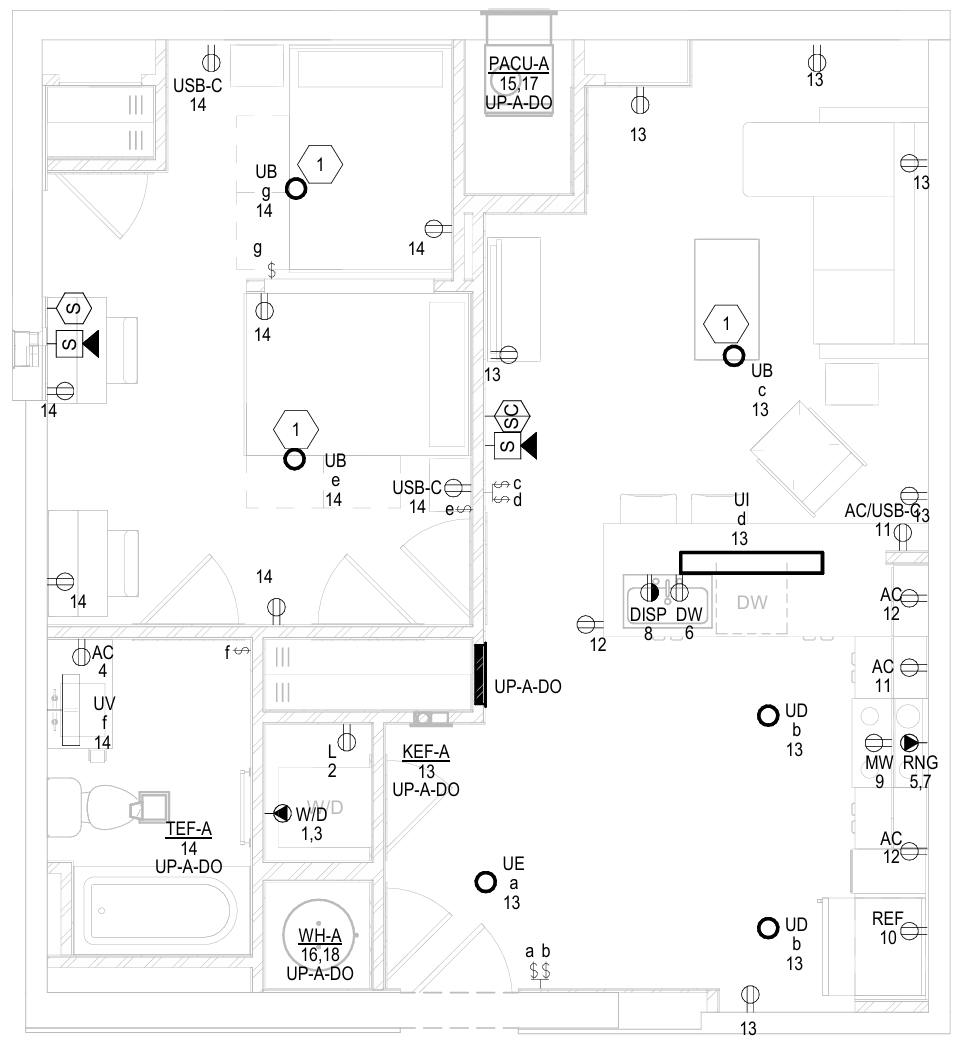
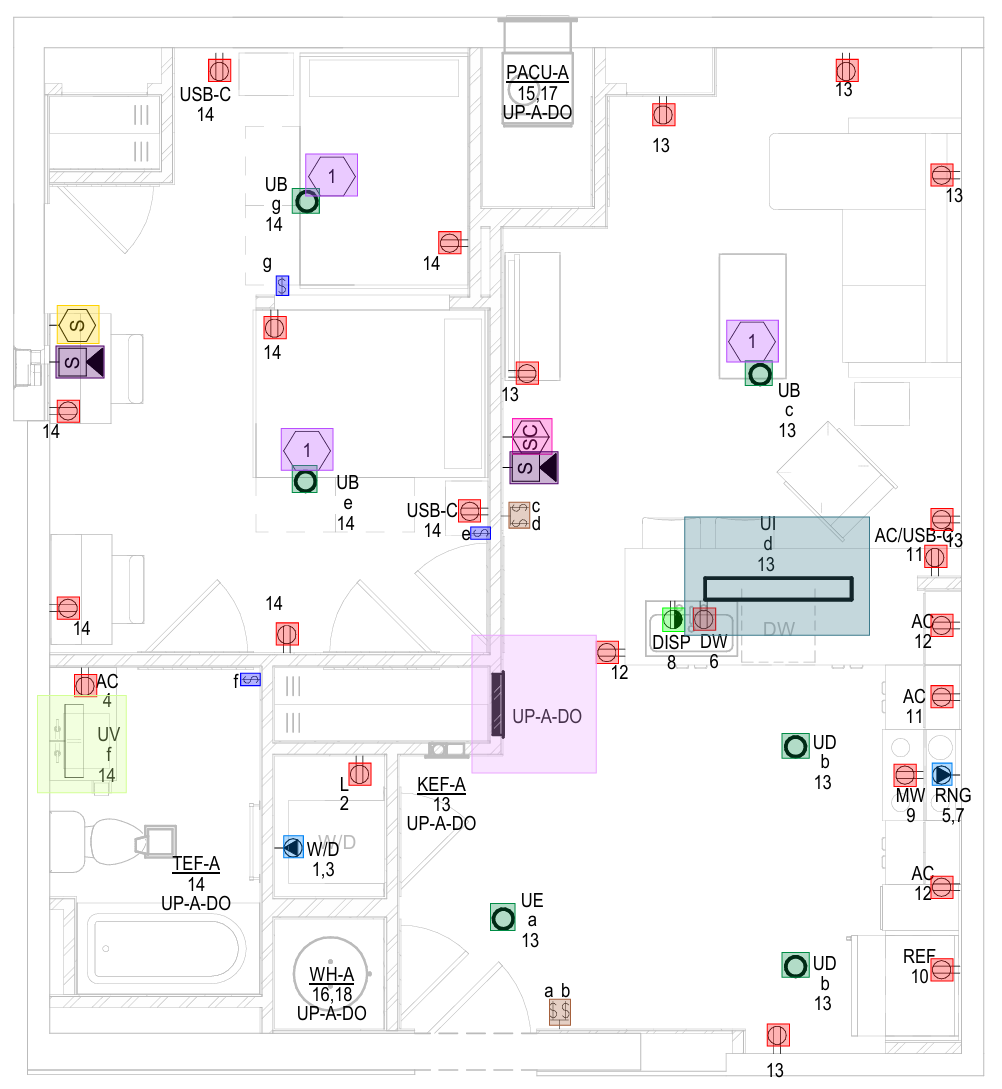 Your planCounted
Every symbol on this sheet — found & marked
Your planCounted
Every symbol on this sheet — found & markedCommon questions
Can SimplyCount count sprinkler heads automatically?
Can we keep everything inside our network?
How fast is it, really?
Can it learn our custom or non-standard symbols?
Never manually count another symbol
Start free — run your first plan and see a number you can defend. 168 pages · 60 symbols · ~1 hour.
No credit card · On-prem or cloud — your choice