How to Count Smoke Detectors on a Blueprint — Fast & Defensibly
Counting smoke detectors by hand is slow and error-prone. Detectors, pulls and horn/strobes look similar and are spread across large plans. SimplyCount finds and marks every one on your plan set automatically, and you sign off on the total.
To count smoke detectors on a blueprint with SimplyCount, you import the plan set as a PDF and point at the smoke detectors symbol from your own legend. The engine sweeps every sheet and marks each instance, and a live count updates as you review. Miss one? Add it. See a wrong detection? Reject it — the total updates and the number you export is the one you signed off on. In on-prem mode everything runs locally — even a scanned page or a phone photo of a drawing gets counted without your plans ever touching a cloud service — or run the hosted cloud mode if you'd rather nothing to install.
Detectors, pulls and horn/strobes look similar and are spread across large plans.
A miscount of smoke detectors flows straight into a wrong bid.
Doing it by hand on every revision burns evenings.
What you get
- Point at the smoke detectors symbol from your own legend — the engine finds every instance on every sheet.
- Review the marked-up detections and reject or add any you need; the total updates.
- Export the count to Excel, CSV or PDF.
- Deploy it your way: run SimplyCount fully on-prem — encrypted local database inside your firewall, air-gap-capable, nothing uploaded — or as a hosted cloud solution with nothing to install. Two supported modes; you pick the one your shop needs.
- SimplyCount's benchmark is 60 unique symbols across 168 pages in about an hour — roughly 168× faster than counting by hand.
Drag the line. See every symbol get found.
A real electrical panel sheet — slide to reveal what SimplyCount marks.
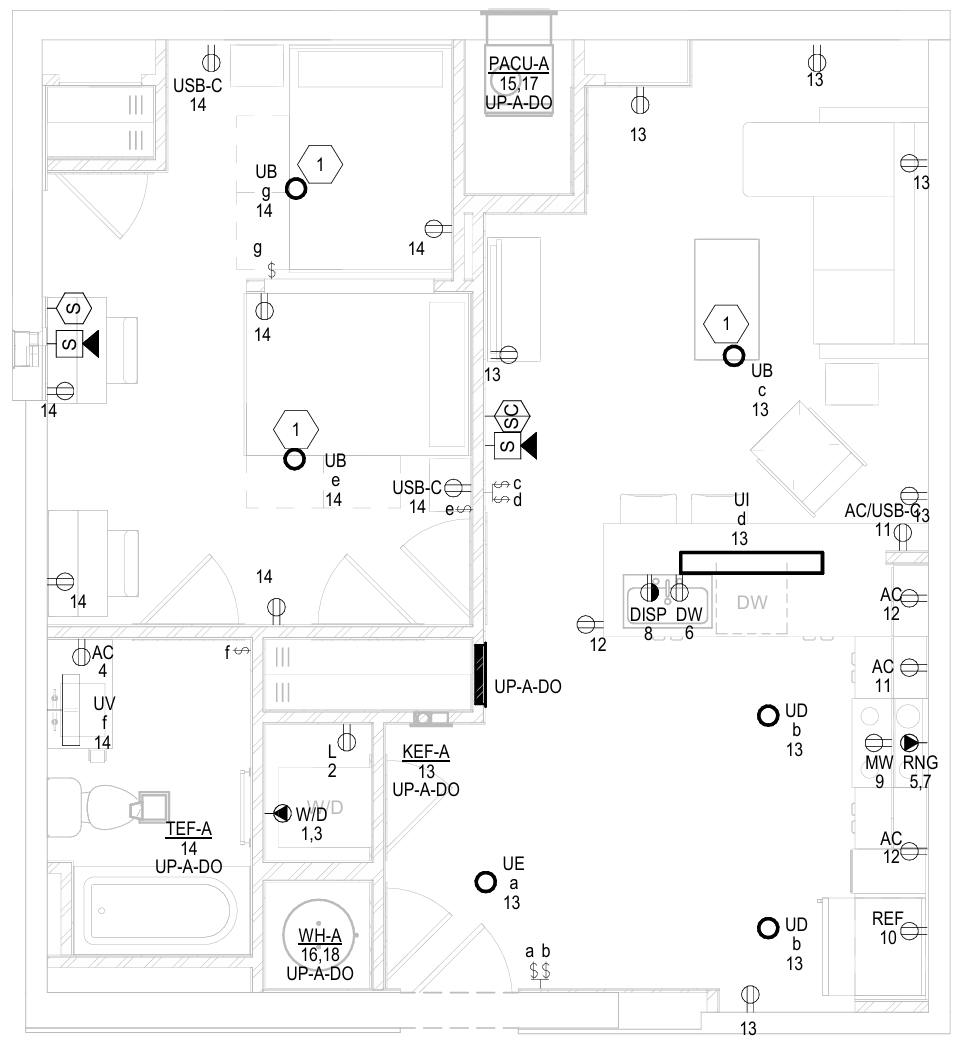
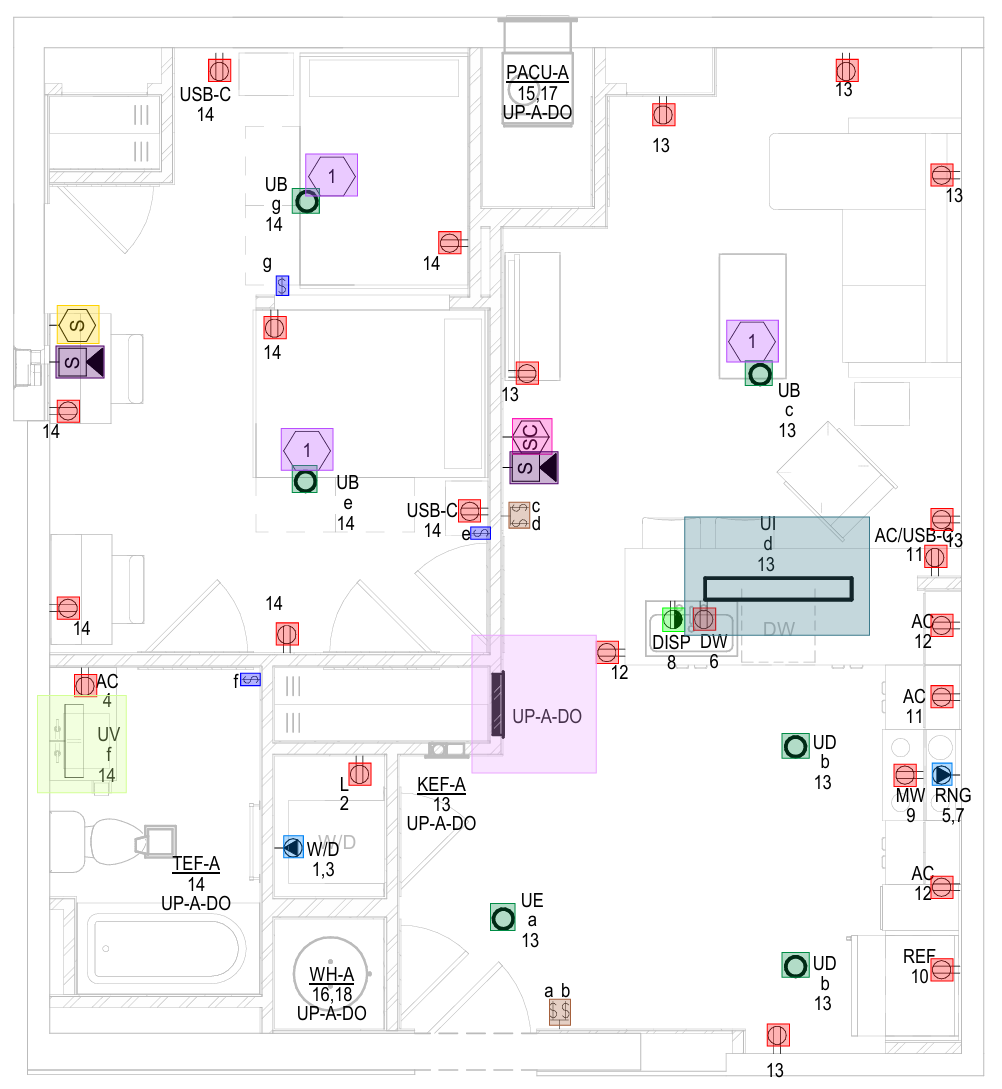 Your planCounted
Every symbol on this sheet — found & marked
Your planCounted
Every symbol on this sheet — found & markedCommon questions
Can SimplyCount count smoke detectors automatically?
Can we keep everything inside our network?
How fast is it, really?
Can it learn our custom or non-standard symbols?
Never manually count another symbol
Start free — run your first plan and see a number you can defend. 168 pages · 60 symbols · ~1 hour.
No credit card · On-prem or cloud — your choice